


-
Products
- Local Securities
- China Connect
- Grade Based Margin
- Stock Borrowing & Lending
- IPO
- Stock Options
- Foreign Stocks
- Unit Trust
- Local Futures
- Foreign Futures
- Forex
- Bullion
- Insurance Services
- Bond
- Monthly Investment Plan
- Mortgage
- Other Services
- Surplus Cash Facility
- Phillip Premier
- Latest Insurance Promotion<
- Smart Minor (Joint) Account
- ETF
- Capital Management
- Research
- Market Info
- Education Center
- Phillip Apps
SATS

- Language
- Traditional/Simplified Chinese/English
- Operating System
- Windows XP SP3/Vista/7/8/10
- Product Supported
- Hong Kong Stock
- User Guide
- Simple Version User Guide 〡 Full Version User Guide
- Video Tutorial
- Stock Borrowing & Lending
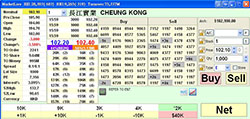
Real Time Price Quote and Six Teletext
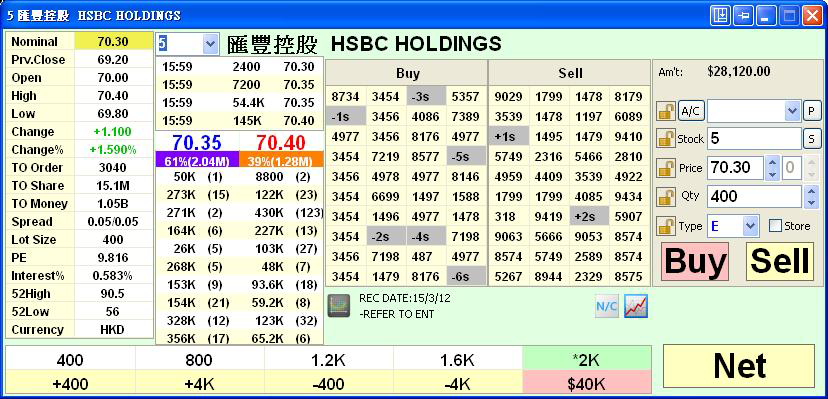
- Real time Price Quote
- Stock PE, Interest,Hang Seng Index and Hang Seng China Enterprises Index
- Name of broker queue shown directly
Various Order Type
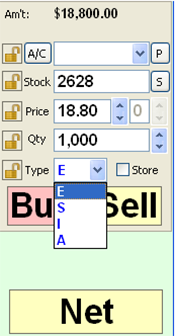
Order Type
Market Opening Session
E—Enhanced Limit Order* *
| Order Price: | Ask order price can be inputted at nine spread lower than the current bid price or the bid order price can be inputted at nine spread higher than the current ask price |
| During Matching: | Allows matching of up to nine price queues at a time |
| Any unfilled quantity after matching will be stored in the system of HKEx as a normal limit order at the input order price | |
| Placing Order: | Yes |
S—Special Limit Order*
| Order Price: | No restriction on the limit price with respect to the best price on the other side of the market |
| During Matching: | Match up to ten price queues (i.e. the best price queue and up to the 10th queue at 9 spreads away) as long as the traded price is not worse than the limit price inputted. |
| After Matching: | Any unfilled quantity after matching will be cancelled and not stored in the System. |
| Placing Order: | No |
Pre-opening Session
I—At-auction Limit Order*
| Order Price: | With a specified price |
| During Matching: | An at-auction limit order with a specified price at or more competitive than the final IEP (Indicative Equilibrium Price), in case of buying, the specified price is equal to or higher than the final IEP; in case of selling, the specified price is equal to or lower than the final IEP. It may also be matched at the final IEP. |
| After Matching: | Any unfilled at-auction limit orders will be converted into limit orders and carried forward to the Continuous Trading Session provided that the specified price of that at-auction limit order does not deviate 9 times or more from the nominal price. |
A—At-auction Order*
| Order Price: | No specified price |
| During Matching: | An order is entered into the trading system for execution at the final IEP. |
| After Matching: | Any unfilled at-auction orders will be cancelled before the commencement of the Continuous Trading Session |
| *Information Source: HKEx ( Based on the announcement of HKEx if any change) |
Stop Limit and Price Alert
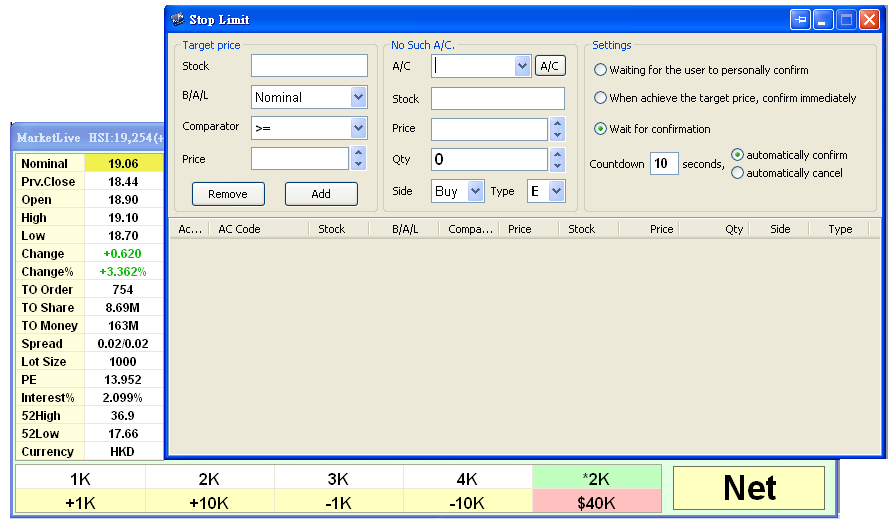
Stop Limit
- Once the current nominal price of the securities hits or lower than your pre-defined Stop Loss Price, your order will be placed at market at prevailing market price.
Price Alert
- When the current nominal price of the securities hits your pre-defined price, the alert will pop up.
Real time Chart
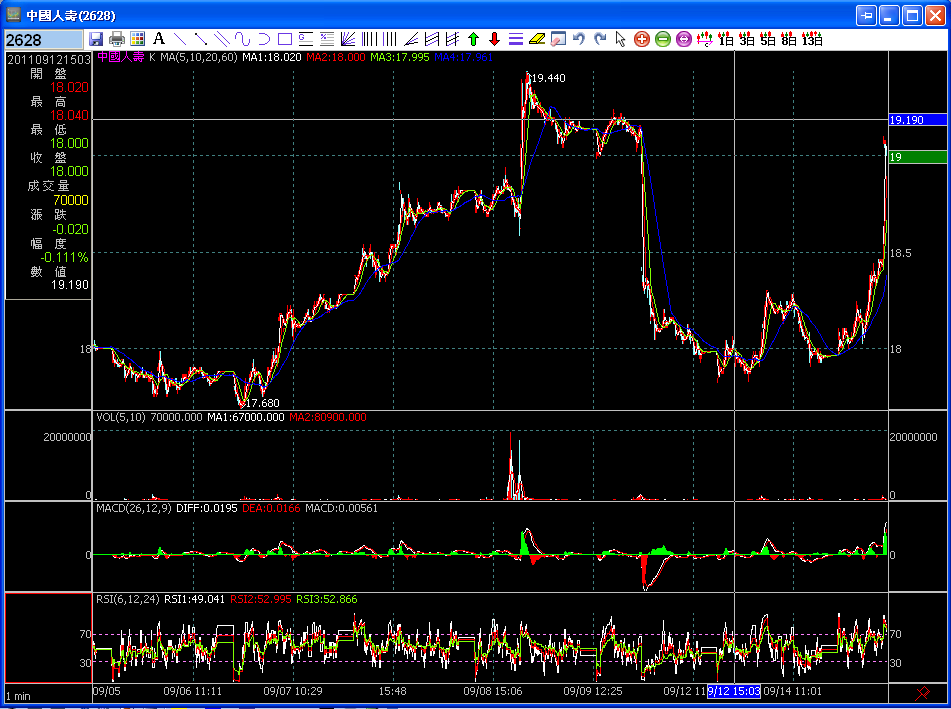
- Our latest Phillip chart provides historical data for technical analysis.
Portfolio setting & Real time Position updated
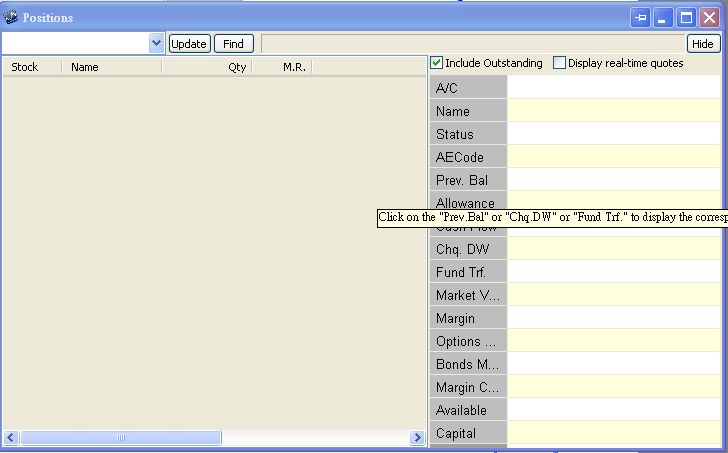
- The position is updated from time to time for the ease of easy monitor of the account status.
Save and Print Orders Done
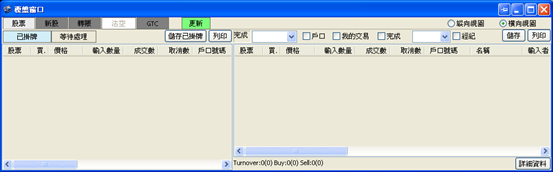
- Users can save and print done orders for reference.
Top of Page
|
Please contact your account executive or call us now. SATS (Stock) Tel : (852) 2277 6661 Email : ats@phillip.com.hk Enquiry & Support Branches The Complaint Procedures |
About Us Phillip Securities Group Join Us Phillip Network Phillip Post Phillip Channel Latest Promotion 新闻稿 |
E-Check Login |

|
Contact Us
About Us
Phillip Securities Group
Join Us
Phillip Network
Phillip Post
Phillip Channel
Latest Promotion
新闻稿
Phillip Securities Group
Join Us
Phillip Network
Phillip Post
Phillip Channel
Latest Promotion
新闻稿
E-Check
Login